- When
- America/Denver (MDT)
- Where
- INDUSTRY RiNo Station3827 Lafayette Street, Denver, CO 80205
Tickets are sold on Eventbrite. We link straight to the listing — nothing is bought here. Listing details come from the source and can change. Eventovia indexes events; it does not organize them or sell tickets. Terms & Disclaimer
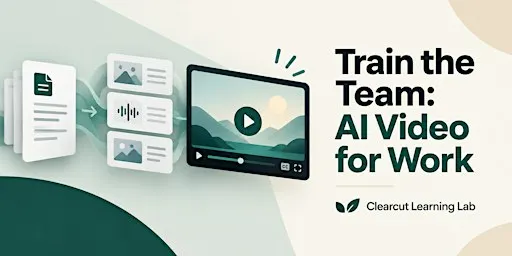
Train the Team: AI Video for Work — Denver takes place on Fri, Oct 30, 2026 at 6:00 PM (MDT) at INDUSTRY RiNo Station in Aurora, CO. Tickets are $0 + on Eventbrite.
About this event
Clearcut Learning Lab hosts a three-hour hands-on workshop in Denver where managers and learning professionals convert approved work documents into two-minute AI-assisted training video drafts using storyboard, voice, and caption stations.
Full description from organizerShow less
Bring one approved work document. Turn it into a storyboard, voice or avatar sequence, captions, and an exported two-minute training-video Train the Team: AI Video for Work - Denver Turn a long work document into a two-minute training video your team can actually use. Most workplace information starts as text. A process document. An onboarding guide. A product explanation. A long internal update. The information may be useful. That does not mean everyone needs another document to read. Train the Team: AI Video for Work is a three-hour hands-on workshop for managers, HR and learning professionals, marketers, internal communicators, and operators who want to explore a repeatable AI-assisted video workflow. Bring one document you are authorized to use. Then move through three practical stations: DOCUMENT → STORYBOARD AVATAR / VOICE EDIT / CAPTION / EXPORT The working goal is one approximately two-minute training-video draft and a workflow you can apply to another approved document later. A COMPLETED DRAFT - NOT A PRODUCTION GUARANTEE The workshop is designed to help participants move through the full creation process and reach an exportable draft. Individual outcomes may differ because of: • Source-document complexity • Software-account limitations • Generation quality • Internet availability • Organization permissions • Review requirements • Project scope Clearcut Learning Lab does not guarantee that every video will be ready for immediate organization-wide publication. WHO SHOULD ATTEND The workshop is designed for people working in areas such as: • Management • Human Resources • Learning & Development • Internal Communications • Marketing • Sales Enablement • Operations • Product Education • Customer Education Advanced video-production experience is not required. WHAT TO BRING Bring: • Laptop • Charging cable • One work document you are authorized to use • Access to software accounts you choose to use • Headphones if available Suitable source materials may include: • Approved SOP • Onboarding guide • Product guide • Internal process explanation • Approved communications brief • Public product documentation DO NOT BRING Do not use the workshop with material containing: • Passwords or credentials • Sensitive employee records • Employee medical information • Customer-identifiable private data • Payroll information • Confidential legal files • Protected health information • Trade secrets you are not authorized to process • Unreleased business information you cannot place in a third-party AI system If the real document is sensitive, create a redacted or synthetic version for the workshop. STATION 1 - DOCUMENT TO STORYBOARD A long document cannot simply be read aloud and become a useful training video. First, reduce it. Identify: AUDIENCE Who needs this? OUTCOME What should they understand or be able to do? ESSENTIAL INFORMATION What must remain? SCENES What can become visual? NEXT ACTION What should happen after the video? The working target is approximately four to six scenes. STATION 2 - AVATAR & VOICE Explore ways to present the storyboard using options such as: • Synthetic presenter/avatar tools • Your own recorded voice • Appropriately licensed synthetic voice • Text-to-speech The workshop is tool-flexible. No specific avatar, voice, or AI platform is guaranteed. CONSENT FOR IMAGE & VOICE Do not create or use a realistic representation of an identifiable person without appropriate permission. Do not clone or imitate the voice or likeness of: • An executive • Employee • Customer • Colleague • Public figure • Other identifiable person without appropriate authorization. Do not create content that falsely suggests a real person said, approved, or endorsed something they did not. STATION 3 - EDIT, CAPTION & EXPORT Assemble the working video. Focus on: • Scene order • Pacing • Voice level • Caption timing • Caption readability • Branding • Final review • Export The target is one approximately two-minute workplace video draft. THE PUBLISH CHECK Before calling the video ready for workplace review, check: FACTS Is the information accurate? RIGHTS Are the document, images, voice, avatar, music, and other assets authorized? PRIVACY Did confidential or sensitive information appear in the output? CLARITY Can the viewer understand the video without reading the original document? OWNER Who is responsible for approving the content before publication? THE REPEATABLE WORKFLOW The workshop uses an eight-step process: 1. SELECT Choose one approved document. 2. REDUCE Define one audience and one learning outcome. 3. STORYBOARD Turn the document into a short sequence of scenes. 4. GENERATE Create appropriate voice and visual components. 5. REVIEW Check accuracy, consent, privacy, and rights. 6. CAPTION Make the video understandable without relying entirely on sound. 7. EXPORT Create the working video file. 8. APPROVE Follow your organization’s normal review and publishing process. USE CASES The workflow can be adapted for appropriate workplace content such as: PROCESS TRAINING Explain one repeatable internal process. PRODUCT DEMO Show how to complete one product task. INTERNAL UPDATE Turn an approved update into a shorter visual explanation. ONBOARDING Explain a common process new team members need to understand. The workshop is not designed for individualized HR decisions, medical guidance, legally binding policy interpretation, or sensitive security instructions. MENTORS: Rachel Donovan Storyboard & Instructional Design Rachel is a learning designer with more than twelve years of experience turning complex workplace documents into clear, practical training. She has worked with corporate learning teams on onboarding programs, process training, and microlearning projects. In this workshop, she guides participants in reducing a long document to one audience, one outcome, and a focused four-to-six-scene storyboard. Marcus Whitfield Synthetic Media & Responsible AI / Editing, Captions & Export Marcus is a video producer and digital-media consultant who helps teams use AI-assisted tools for internal communications and training content. His work focuses on accessible video, caption quality, and practical review practices around consent, rights, and privacy. In this workshop, he supports participants with avatar and voice choices, the Publish Check, and the final edit, caption, and export process. Timeline: 6:00 PM – 6:15 PM Check-In & Document Triage Confirm that your source material fits the workshop. 6:15 PM – 6:30 PM Rights, Consent & Workflow Setup Review document permissions, voice and likeness consent, privacy, and the production workflow. 6:30 PM – 7:10 PM Station 1 - Document to Storyboard 7:10 PM – 7:15 PM Rotation 7:15 PM – 7:55 PM Station 2 - Avatar & Voice 7:55 PM – 8:00 PM Rotation 8:00 PM – 8:40 PM Station 3 - Edit, Caption & Export 8:40 PM – 8:50 PM Final Export & Publish Check 8:50 PM – 9:00 PM Rapid Review & Closing
Keep going
All Aurora events →Similar events
View all →










Details
- When
- Fri, Oct 30, 2026 · 6:00 PM (MDT)
- Where
- INDUSTRY RiNo Station
- Address
- 3827 Lafayette Street, Denver, CO 80205
- Price
- $0 +
- Genre
- Workshops & Training
- Weather
- 56°F · OvercastForecast at 6:00 PM (MDT)
Questions
- When is Train the Team: AI Video for Work — Denver?
- Fri, Oct 30, 2026 at 6:00 PM MDT.
- How much are tickets for Train the Team: AI Video for Work — Denver?
- Tickets are $0 +.
- Where is Train the Team: AI Video for Work — Denver?
- INDUSTRY RiNo Station, 3827 Lafayette Street, Denver, CO 80205, Aurora, CO.
- Where can I buy tickets for Train the Team: AI Video for Work — Denver?
- Tickets are sold on Eventbrite. This page links straight to that listing; no tickets are sold here.